
New -Student Booking Drive Time App- Parent Workflow
The new app will enable parents/students to book drive times without having to call the office. You can only book after you create a log in and profile (only one per student) and the class session has been released to book drive times. No cost to use the app.
Current students/parents: Follow the link sent by the office to your cell phones.
Create a log in or use social media (Can only make one log in/account per student)
Create profile
Must use student’s name in the profile-main contact phone number
Add emergency contact information
Take a look around the app but you will not be able to book a drive time until the office approves your account and the class session has been approved to drive.
1st drive time
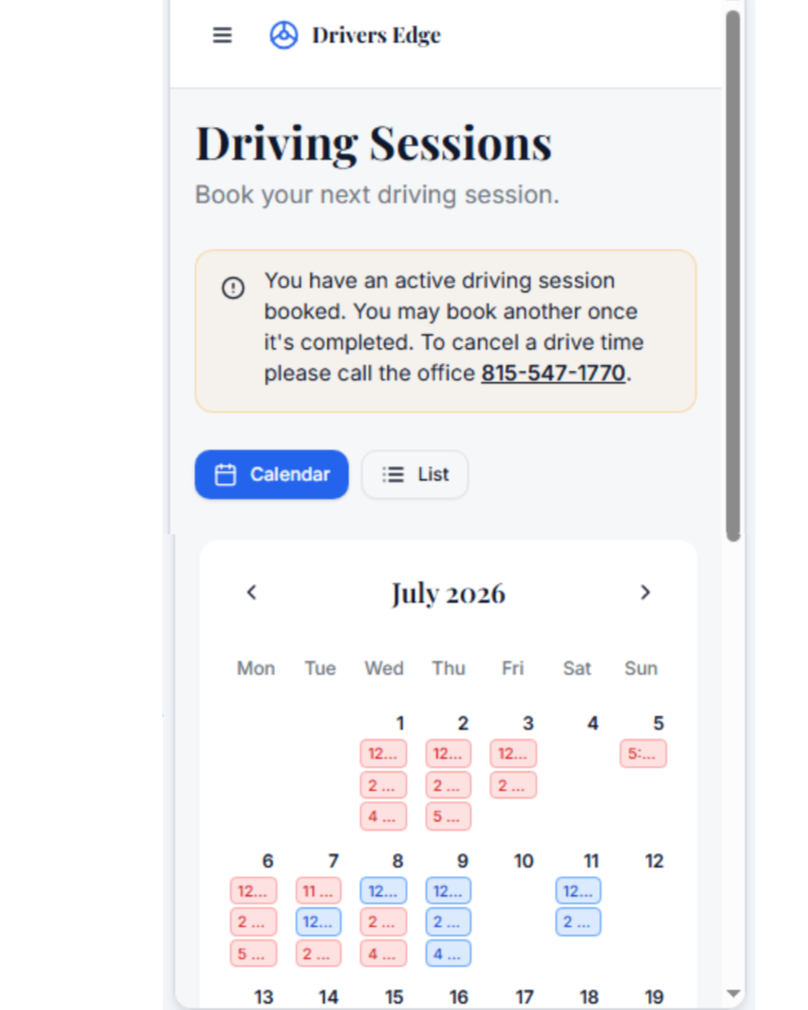
Pick a date- scroll down to see available spots (you will be able to see all drives but will only be able to book a drive with an open spot)
Click Book This Session- It will ask if you have 10 hours of driving practice.
Confirm
You will be sent an email to confirm the date, time, and location. (Check the pick up location before booking a session)——You are all set
To cancel a drive time you must call the office. Cancelling within 24 hours of the drive time will be charged a $50 fee per the policy signed at enrollment.
2nd-6th Drive time
You will be able to book your next drive time only after completing your current drive
Drive time counter
The number of drives completed out of 6 will be listed. (If you started driving before the app was created this number will not be correct- ask your instructor for the correct count)
Days remaining
This is the number of calendar days until your 9 month deadline set by the state. You should have all drives finished by that deadline.
Last minute available drives
Drives that become available at the last minute due to cancellations will be available on the app.
To add the app to your phone's home screen follow the directions here.
Video demonstration of how to create a profile is available here.